Defining a Saved Search as a Preferred View
The Roles subtab has a set of Preferred View check boxes. Check these boxes to apply the definitions to default views for lists, sublists, and dashboard list portlets of the selected record type.
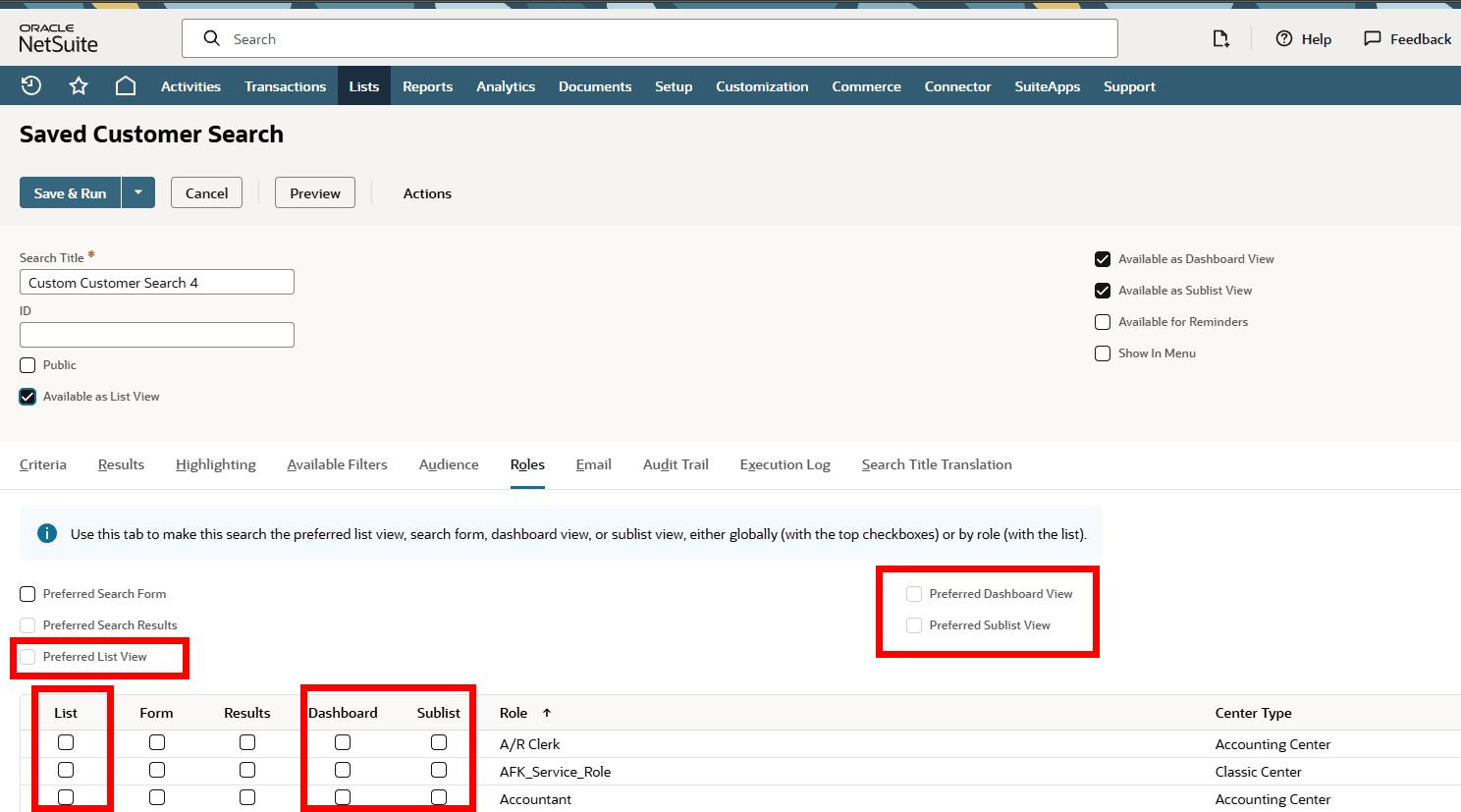
Use the global preferred view check boxes at the top of the subtab to set preferred views for all users, based on public searches. The View dropdown list remembers the last selection, so personal choices override any preferred views. For example, if an administrator adds a default view, it will not override an existing individual preference of view that is displayed by default.
Use the check boxes in the List, Sublist, and Dashboard columns to set preferred views per role.
Setting a Saved Search as a Default View
You can set a saved search as a default list, sublist, or dashboard view for all users or only a subset of users.
-
To set a saved search as the default list view for all users, check the Preferred List View box. This option is available when the Public and Available as List View boxes are checked.
Note:The Preferred List View serves as a default value set by an administrator for all users in a company. Any user with permissions can make their own search the default view, overriding the company setting for themselves.
-
To set a saved search as the default list view for certain users, check the List box for each role you want. This option is available when the Available as List View box is checked.
-
To set a saved search as the default sublist view for all users, check the Preferred Sublist View box. This option is available when the Public and Available as Sublist View boxes are checked.
-
To set a saved search as the default sublist view for certain users, check the Sublist box for each role you want. This option is available when the Available as Sublist View box is checked.
-
To set a saved search as the default dashboard view for all users, check the Preferred Dashboard box. This option is available when the Public and Available as Dashboard View boxes are checked.
-
To set this saved search as the default dashboard view for certain users, check the Dashboard box for each role you want. This option is available when the Available as Dashboard View box is check.
Account administrators can customize roles to set up a saved search as the default list, sublist, or dashboard views for a record type, or apply restrictions. See Customizing or Creating NetSuite Roles.