Redwood: Manage Purchase Agreements as a Catalog Administrator
Manage purchase agreements from a Redwood page as a catalog administrator. You can now add content to agreements pending catalog authoring, and search and filter purchase agreements and lines using keywords and specific filters.
As a catalog administrator you can access your purchase agreements from either the purchasing landing page or by using a new quick action.
These screenshots illustrate these interactions:
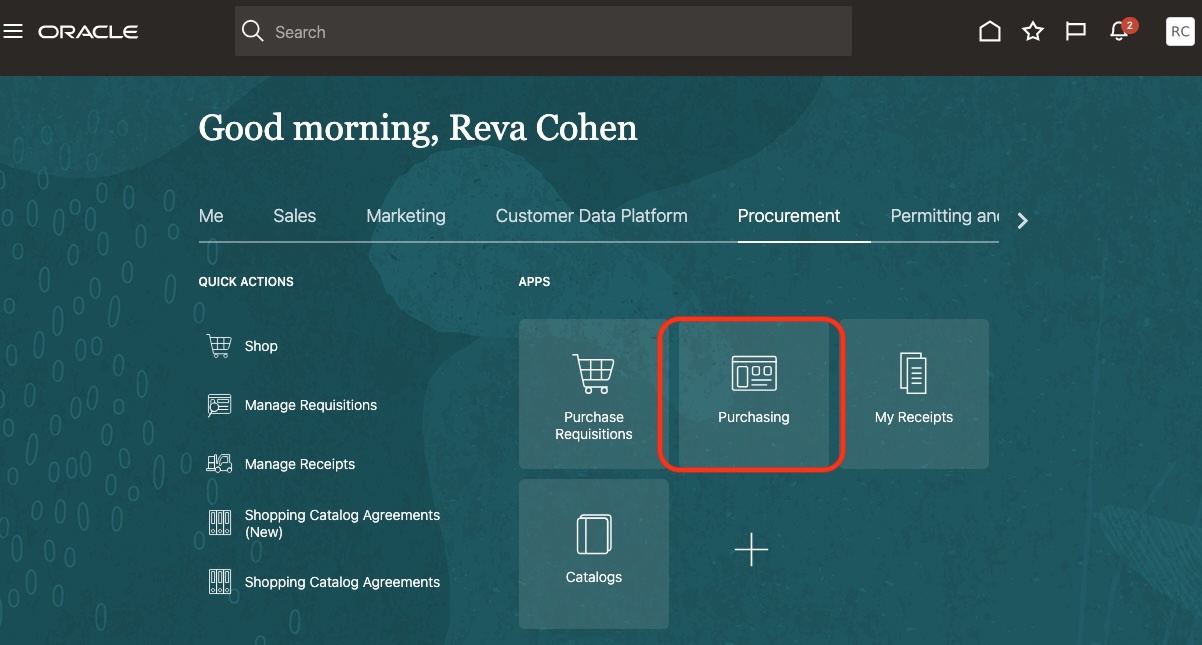
Purchasing Landing Page Available to Catalog Administrators
The landing page provides catalog administrators with information similar to what buyers see. They can view their recently accessed purchase agreements and navigate to the Catalog Agreements search page.
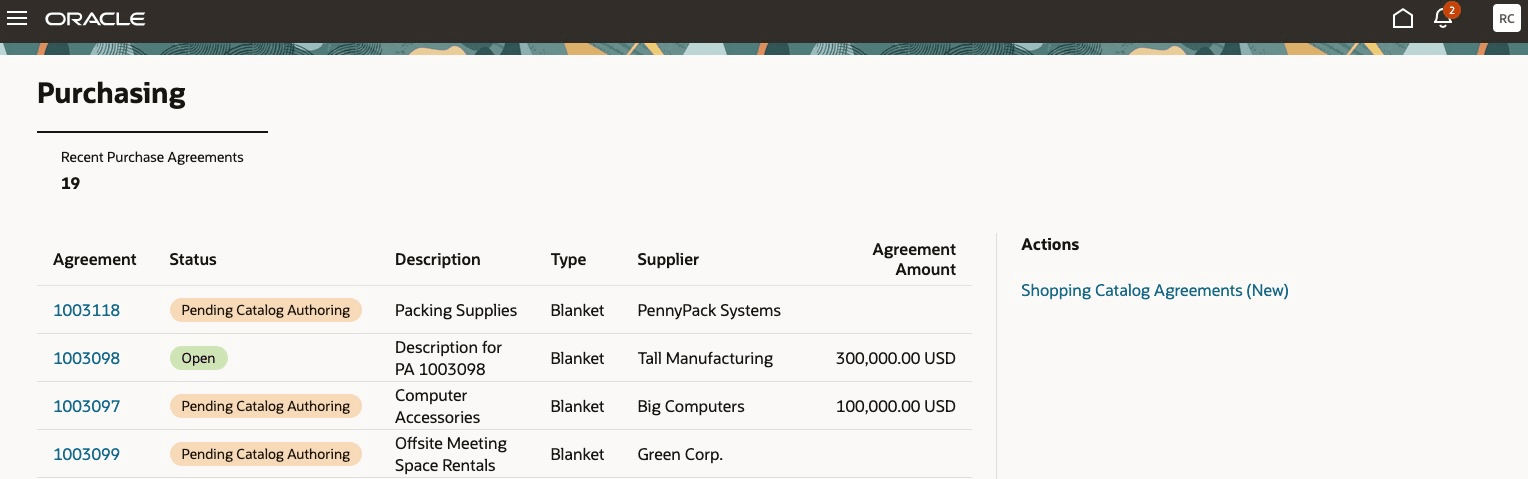
Catalog Administrator's View of the Purchasing Landing Page
The Catalog Agreements page displays blanket purchase agreements enabled for catalog administrator authoring. From here, you can locate agreements that are in pending catalog authoring status or were previously approved. You can search for blanket purchase agreements using keywords such as item, supplier item, manufacturer, or manufacturer part number, refine results with additional filters, save common searches, and export results to Excel. From the results, you can view agreements, download PDFs, review history, edit pending agreements, and create change orders for approved agreements.
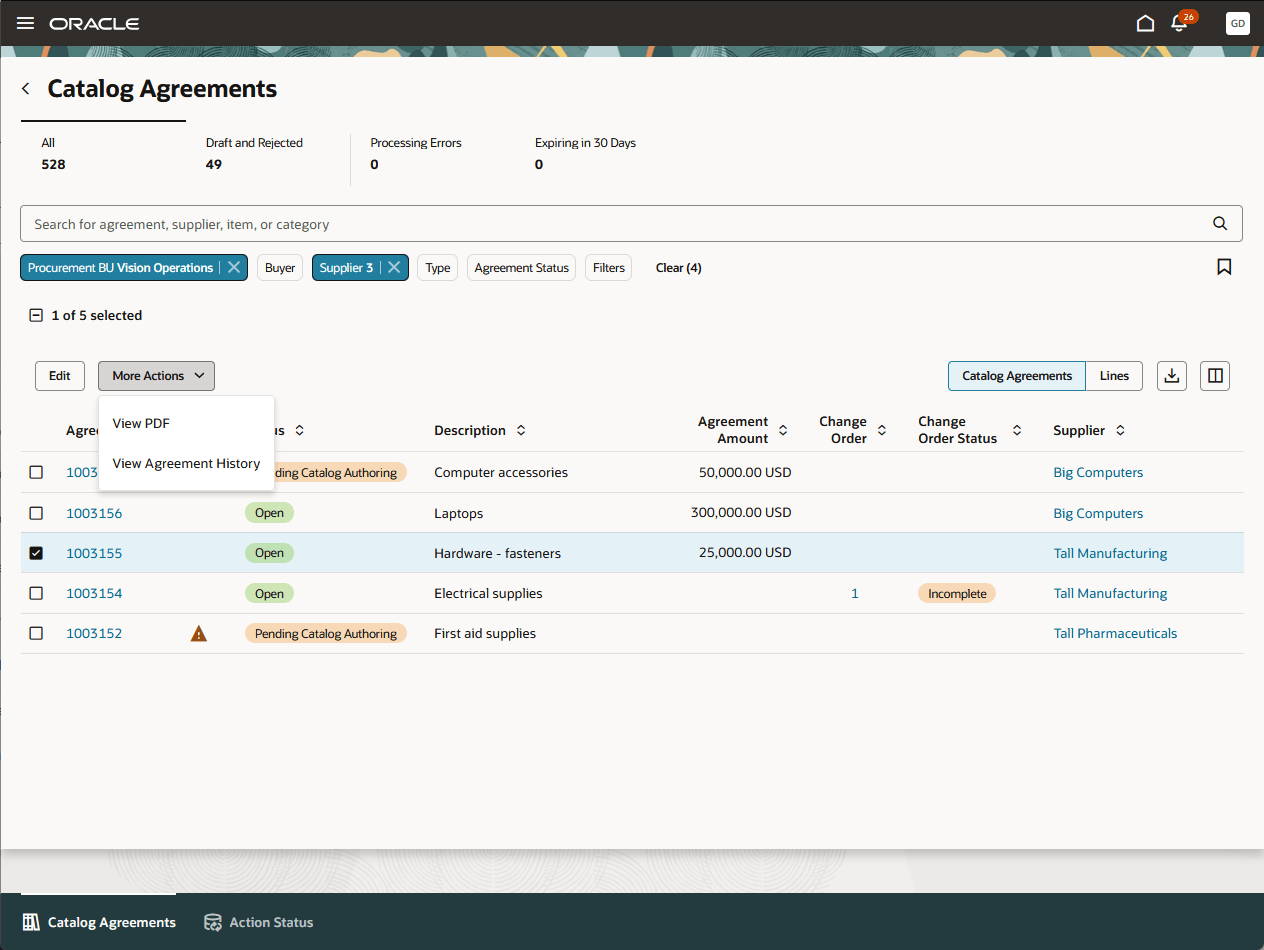
Catalog Agreements
When searching for blanket purchase agreements, you can refine results with filters such as Buyer, Agreement Status, and Procurement BU, and use additional filters to further narrow the list.
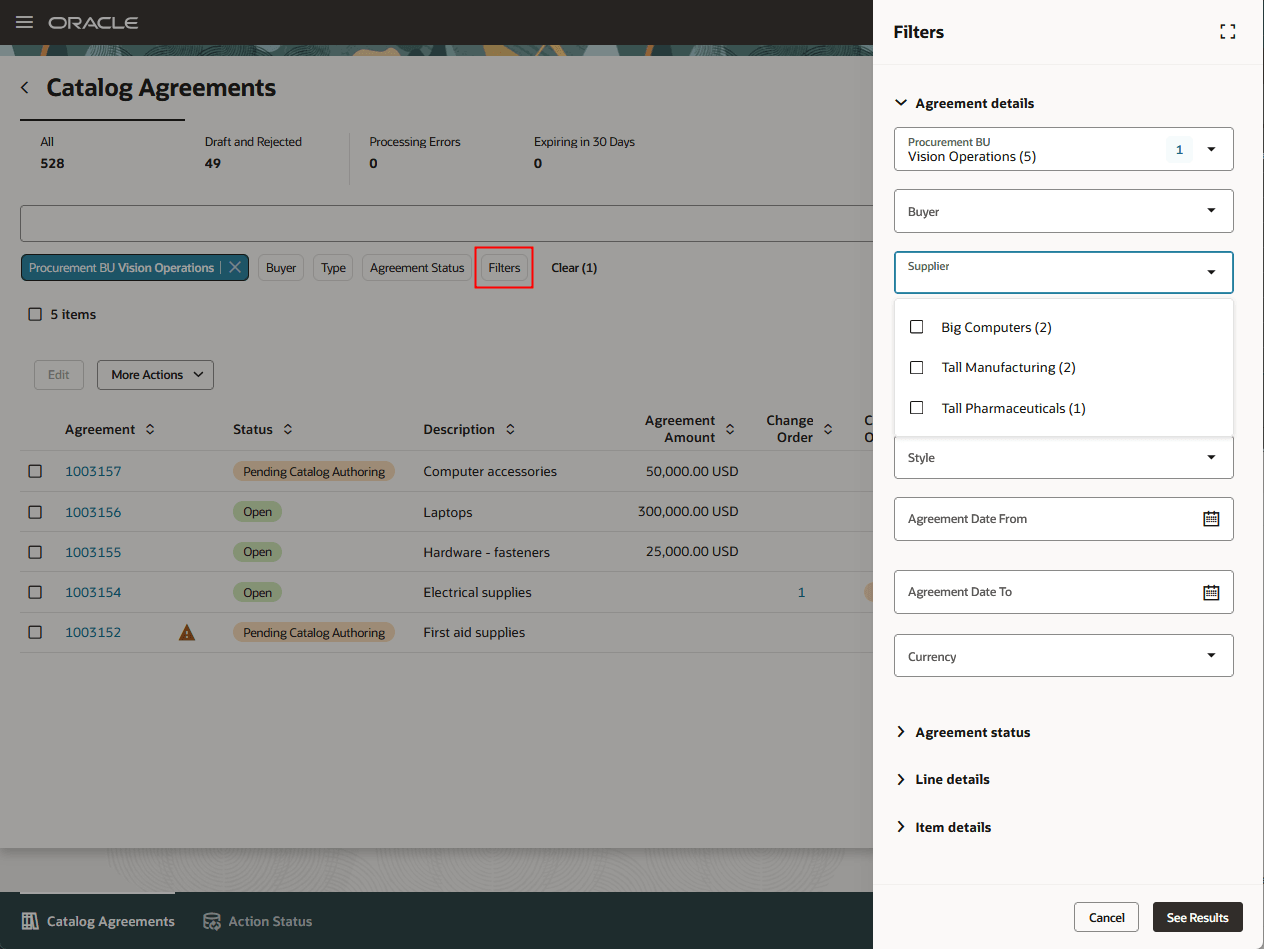
Catalog Agreements Additional Filters
You can use the Lines tab to search purchase agreement lines without changing your current search criteria, and cancel lines that were previously approved.
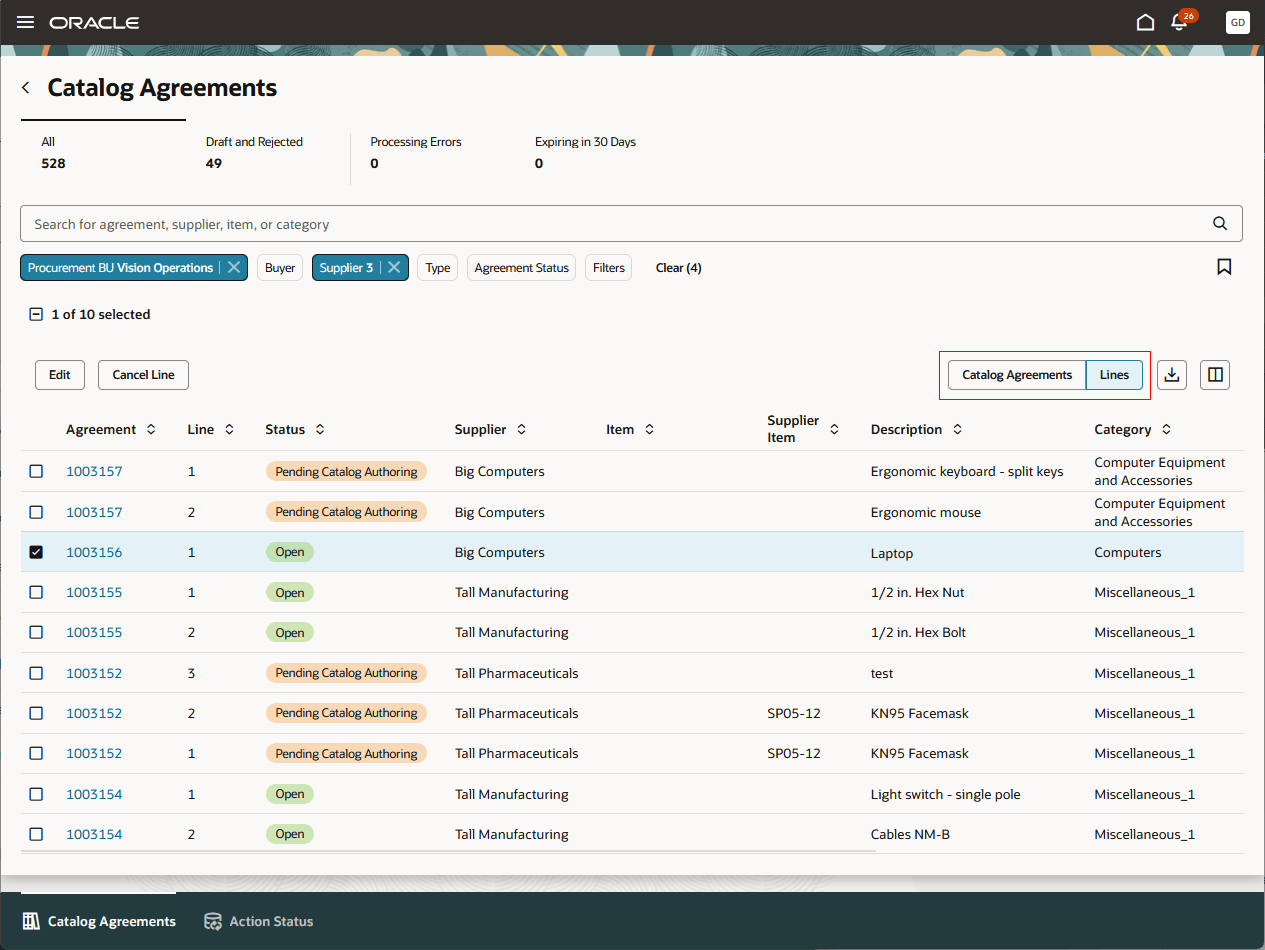
Catalog Agreement Lines
Steps to enable and configure
If you haven't enabled Redwood for Purchasing, see the Getting Started with Redwood in Purchasing topic on the SCM Resource Center in Customer Connect.
Tips and considerations
- Only blanket purchase agreements enabled for catalog administrator authoring are returned in the search.
- Draft agreements are returned in the search only when they are in Pending Catalog Authoring status.
Key resources
-
The actions and attributes on the Redwood Catalog Agreements page, the Redwood View Agreement page for catalog administrators, the Redwood Edit Agreement page for catalog administrators, and the Redwood Blanket Purchase Agreement Change Order for catalog administrators are a subset of the available actions and attributes on the respective pages for buyers. For details on configuring and using these Redwood pages for buyers refer to these features in Oracle Fusion Cloud Procurement What's New:
- Redwood: Search Purchase Agreements and Agreement Lines feature, available in update 25C
- Redwood: Create and Edit Purchase Agreements, available in update 25D.
- Redwood: View Purchase Agreements as a Buyer, available in update 25D.
- Redwood: Create Purchase Agreement Changes as a Buyer, available in update 26A.
Access requirements
Users who are assigned a configured job role that contains these existing privileges can access the purchasing landing page, view recent agreements as a catalog administrator, and access the catalog agreements page:
- Manage Procurement Catalog Content (POR_MANAGE_PROCUREMENT_CATALOG_CONTENT_PRIV)
- Search Purchase Agreement (PO_SEARCH_PURCHASE_AGREEMENT_PRIV)
Users who are assigned a configured job role that has the privileges of this existing predefined role can view and edit the purchase agreements in the catalog agreements page:
- Procurement Catalog Administrator (ORA_POR_PROCUREMENT_CATALOG_ADMINISTRATOR_ABSTRACT)