Seasonal Report
The Seasonal Report encourages customers to reduce energy use ahead of the extreme weather seasons of summer and winter. It focuses specifically on heating or cooling, as these typically have the greatest impact on energy bills during these periods. Sent before each season begins, the report helps customers prepare and plan for the months ahead. It includes targeted tips and recommended actions to lower heating or cooling usage, along with a seasonal thermostat adjustment tailored to the report.
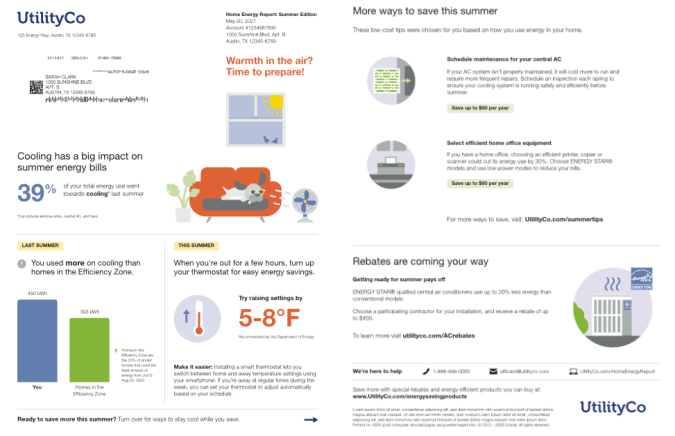
Summer Seasonal Report
The summer version of the Seasonal Report focuses on the impact cooling has on summer utility bills.
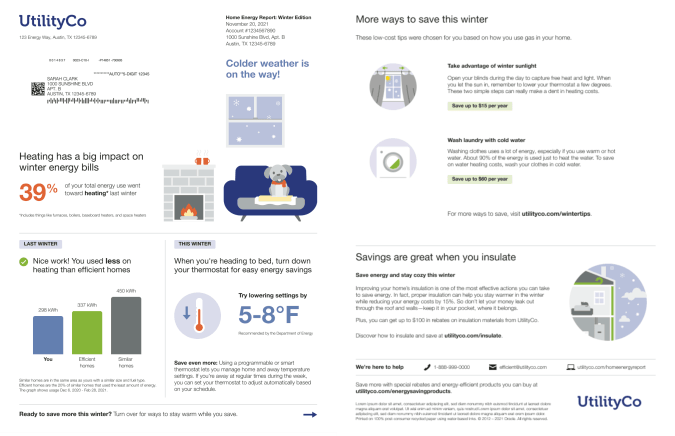
Winter Seasonal Report
The winter version of the Seasonal Report focuses on the impact heating has on winter utility bills.
See the Seasonal Report Modules for more information about how the experience varies by module.
Seasonal Report Modules
The Seasonal Report type is built with a predefined mix of dynamic and static modules that have been carefully crafted to tell customers a personalized story about their energy use. It provides new experiences and insights that vary over time, depending on specific customer attributes and utility goals. The winter and summer versions of the reports include the same seasonally-focused features. Go to the individual module page for more details about the user experience.
The following modules are included on the front of the report:
- Header
- Seasonal Report Introduction
- Seasonal Breakout Module
- Seasonal Normative Comparison
- HVAC Adjustment Module
- Page Turn
The following modules are included on the back of the report: