Displaying Information About Flavors
When you are logged in to the dashboard as a cloud administrator, you can view the available flavors from the Admin > System > Flavors tab.
Figure 5 Flavors in Oracle Solaris for Oracle OpenStack
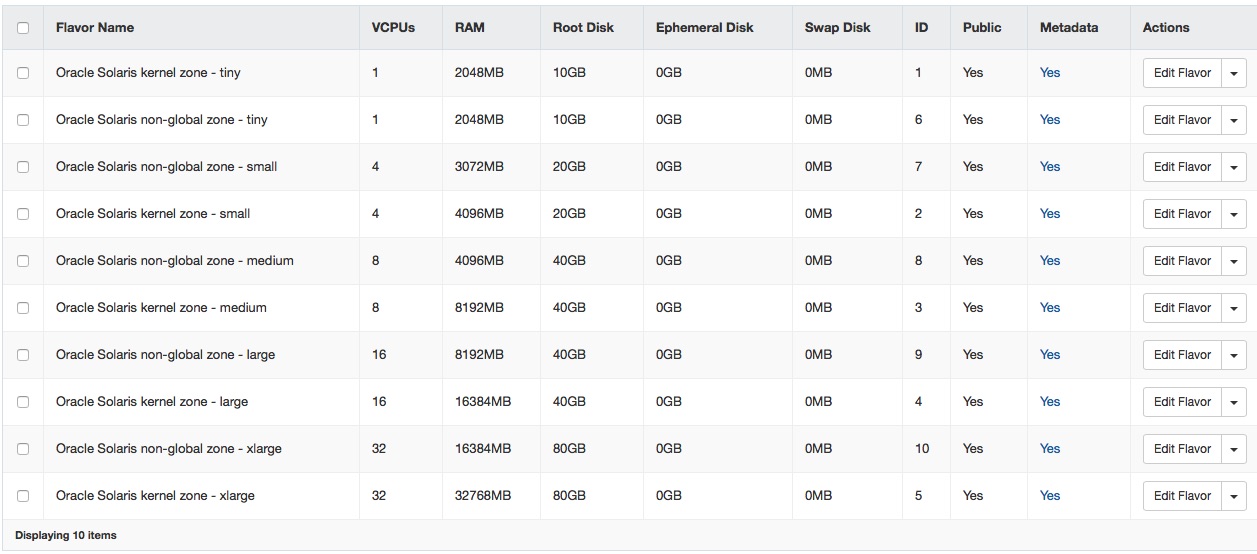
For information about these columns, see the OpenStack Command-Line Interface Reference.