Adding Translations for Saved Search Highlighting
To add translations for saved search highlighting:
-
From the Saved Search definition page, click the Highlighting subtab.
-
Click a highlighting condition.
-
Click the Translation column.
-
Enter the translated text for each language.
-
Click Done.
-
Repeat steps 2-5 for every highlighting condition that requires translating.
-
Click Save.
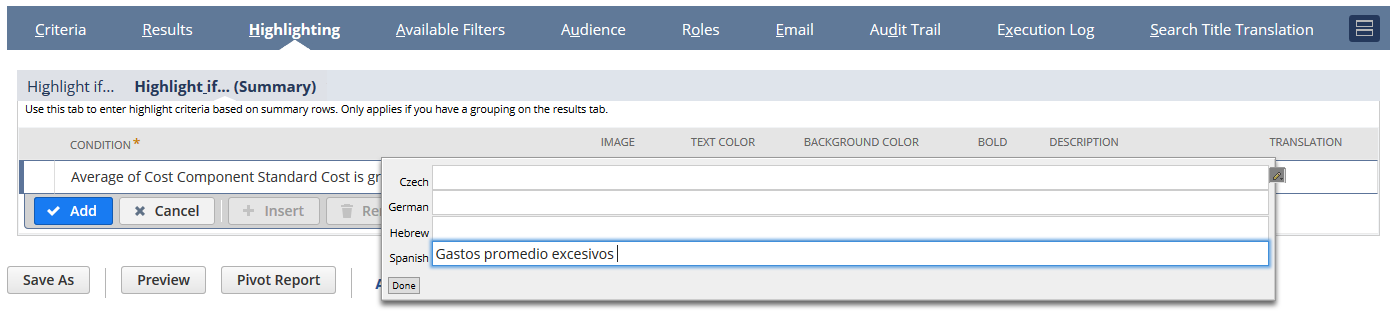
Translations for Saved Search highlighting of summary rows can be added in the same way.
-
From the Saved Search definition page, click on the Highlighting subtab.
-
Click on the Highlighting if..(Summary) subtab.
-
Repeat steps 2-5 (above) for every summary row that requires translating.
-
Click Save.