Tip Modules
Tip modules present actionable energy savings tips for customers to follow. Tip module designs vary by report type as well as available customer and utility data.
Requirements
Utility Requirements
| Category | Description |
|---|---|
| Required Cloud Service | Oracle Utilities Opower Energy Efficiency Cloud Service |
| Scale | No limitations. |
Customer Requirements
| Category | Description |
|---|---|
| Billing Frequency | Not applicable. |
| Data Delivery Frequency | Not applicable. |
| Data Requirements |
To show tips related to customers' appliances or top end uses, the Oracle Utilities Opower platform requires disaggregation data. The minimum requirement for disaggregation data is having average energy use data for households in a utility's region. This data is typically obtained from public data sources and is used as a baseline for the Home Energy Analysis survey. Responses to the survey can then be used to determine what appliances customers have, or how customers' energy breaks down into specific categories, so that tips can be more effectively targeted. Recommended: The recommended approach is to use Oracle Utilities Opower data science models to generate more accurate appliance and disaggregation data. In this case, the data requirements include a combination of billed usage data, daily or subdaily AMI data, and weather data. Your Delivery Team will work with you to understand the specific requirements and help you identify the best approach for your situation. |
| Data History |
Depending on which Oracle Utilities Opower data approach is used, one or more of the following data history requirements may apply:
|
| Data Coverage | Depending on which Oracle Utilities Opower data approach is used, the data coverage requirements may include subdaily AMI usage and temperature data. |
| Supported Fuels | Electricity-only, gas-only, and dual fuel. |
User Experience
This section describes the user experience for tips in the different report types.
Progress Report Tips
Appears in: Progress Report
The Progress Report includes one or up to three tip modules that highlight personalized aspects of the tip experience. The image below is an example of the progress report tip design.
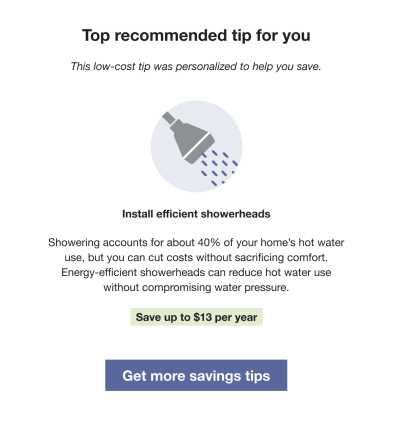
Heading: Indicates that the tip has been personalized for the customer.
Context: Provides additional information to help the customer understand why the tip was selected. Contexts are typically shown at random, except for the "recent HEA completion" context, which appears immediately after the customer completes the Home Energy Analysis. The availability of contexts depends on the customer's AMI data and whether they have completed the Home Energy Analysis. See Home Energy Analysis.
Tip Title: Focuses on future savings to motivate the customer to take action.
Image: Includes an illustration that supports and relates to the tip.
Tip Body: Provides guidance to help the customer save energy.
Savings Estimate: Offers an estimate of potential cost savings to give the customer a clearer sense of impact and added motivation to act.
Call to Action: Includes a "Get more savings tips" button that directs customers to the web portal for additional energy-saving guidance.
Promotion Report Tips
Appears in: Promotion Report
The Promotion Report tips use disaggregation data or Home Energy Analysis data to provide customers with low or no-cost alternative actions to the promotion. They include two actions that relate to the customer's top end uses or the promotion use case. The image below is an example of a promotion report tip.
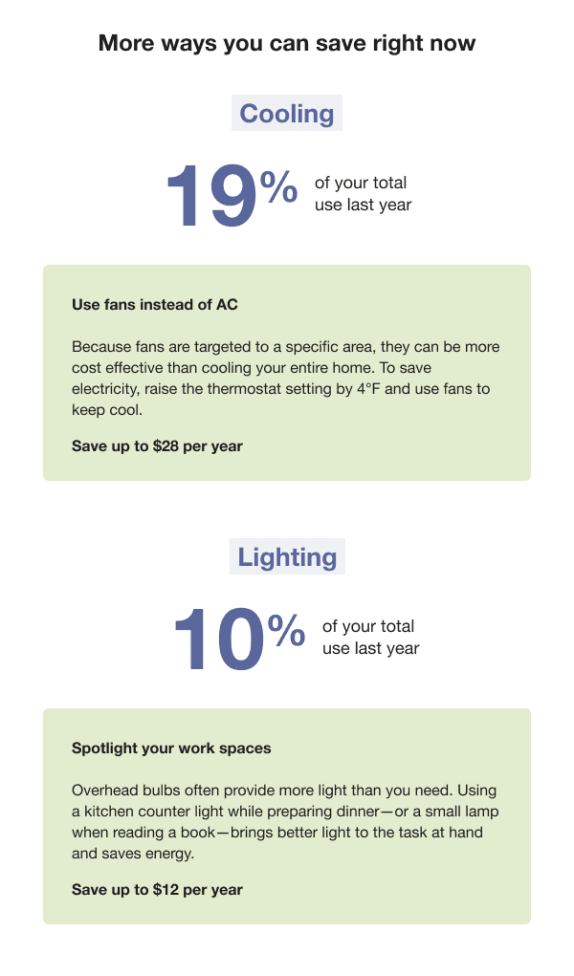
Heading: "More ways you can save right now" builds on the front-of-report promotion ("X could help you save") and uses state-agnostic language, regardless of how these categories rank in the customer's disaggregation.
End Use Category 1: Highlights one of the customer's top end-use categories, based on the promotion use case.
End Use Category 2: Highlights a second top end uses, depending on the promotion use case.
Usage Insight: Shows the percentage of the customer's total energy use attributed to each category.
Insight Label: Indicates that the insight reflects annual usage. All insights in this module are annual..
Tip Title: Emphasizes potential future savings to motivate action.
Tip Body: Provides guidance to help the customer take action.
Savings Estimate: Calculates a personalized estimate of potential savings based on the customer's energy usage.
Seasonal Report Tips
Appears in: Seasonal Report
The Seasonal Report tips provide customers with two seasonally relevant recommendations to help reduce energy use during the summer or winter. The first tip focuses on saving energy related to cooling or heating, while the second addresses another end-use category. The module also directs customers to additional tips available online. The image below shows an example of tips from the summer version of the Seasonal Report.
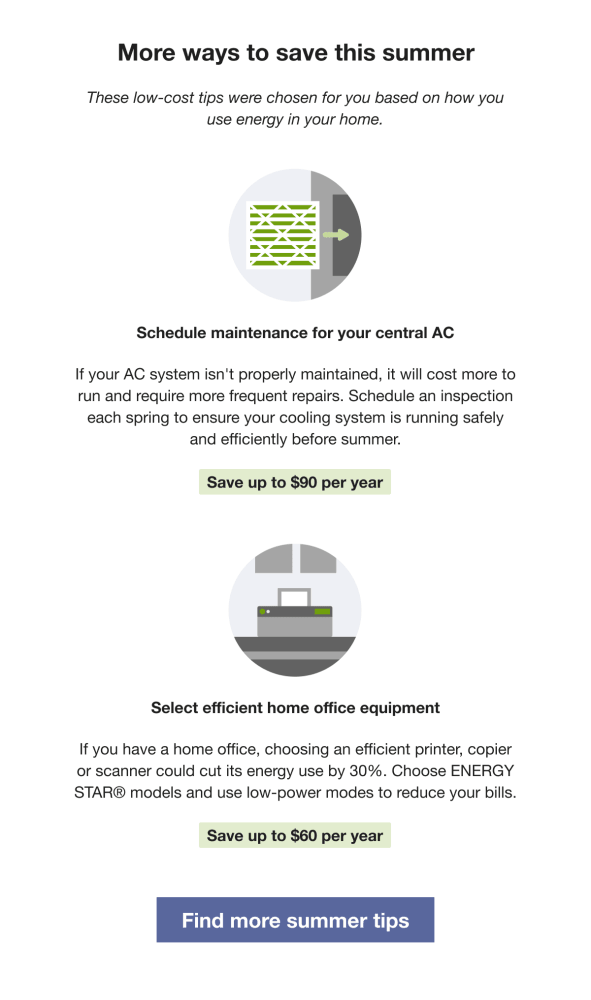
Heading: Indicates that the tips have been selected to help the customer save energy.
Context: Provides background on why these specific tips were chosen.
Tip Title: Uses the title from Tip Manager, based on the selected tip.
Image: Includes an illustration that corresponds to the tip.
Tip Body: Uses prewritten content from Tip Manager, tailored to the selected tip and formatted for concise, email-length reading.
Savings Estimate: Calculates a personalized savings estimate using the customer's energy data and Tip Manager inputs.
Call to Action: Links to the utility's seasonal (for example, summer) tip guide.
Welcome Report Tips
Appears in: Welcome Report
The report includes up to three tip modules that highlight personalized aspects of the tip experience. The image below is an example of the Welcome Report tips design.
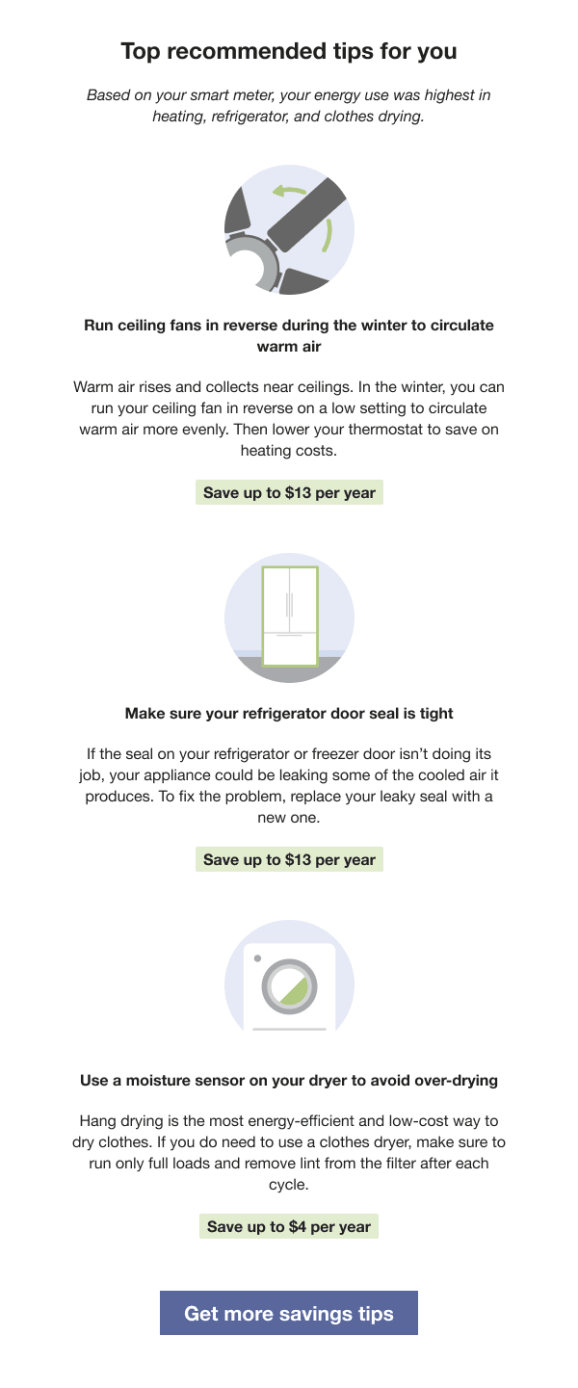
Heading: Indicates that the tip has been personalized for the customer.
Context: Provides additional information to help the customer understand why the tip was selected. Contexts are typically shown at random, except for the "recent HEA completion" context, which appears immediately after the customer completes the Home Energy Analysis. Availability depends on the customer's AMI data and whether they have completed the Home Energy Analysis. See Home Energy Analysis.
Tip Title:Emphasizes potential future savings to motivate the customer to take action.
Image:Includes an illustration that aligns with the tip.
Tip Body: Provides guidance to help the customer save energy.
Savings Estimate: Gives a clear estimate of potential cost savings, helping the customer understand the impact and encouraging action.
Call to Action: Includes a "Get more savings tips" button that directs customers to the web portal for additional energy-saving recommendations.
Lookback Tips
Appears in: Annual Report, Usage Lookback Report
Lookback tips help customers reflect on their energy use over the past year and provide new insights to encourage energy-saving actions.
Top tip: The first tip either promotes an energy assessment program or features a recommendation from the utility's tip library. Examples of energy assessment programs include:
- In-person energy audit
- Utility's virtual audit program
- Oracle Utilities Opower Home Energy Analysis
Second tip: Provides a simple, actionable recommendation that customers can implement right away to save energy.
This image shows an example of lookback tips for customers who receive a utility virtual home energy assessment promotion along with a generated tip in their Annual Report. See Lookback Tip Variations for additional variations.
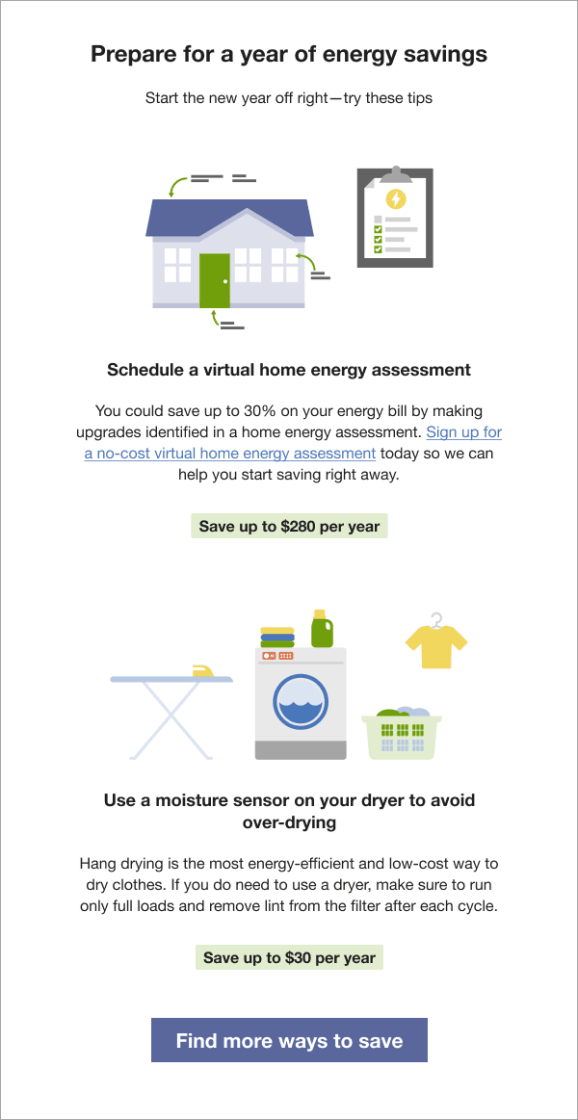
Heading: Indicates that the tips are designed to help the customer save in the year ahead.
Context: Encourages the customer to take action to reduce energy use.
Tip 1: Promotes an energy assessment program or features a tip from the utility's tip library.
- Image: Includes an illustration related to the utility's home energy assessment program.
- Tip Title: Encourages the customer to schedule a home energy assessment.
- Tip Body:Prompts the customer to sign up for the utility's virtual home energy assessment and includes a link to the utility website for registration.
Tip 2: Provides a year-round, easy-to-implement tip from the utility's tip library.
- Image: Includes an illustration that aligns with the tip.
- Tip Title: Emphasizes potential future savings to motivate action.
- Tip Body: Offers guidance to help the customer save energy.
Savings Estimate:Gives an estimate of potential cost savings to reinforce the value of taking action.
Call to Action: The "Find More Ways to Save" texts link to the utility's tip guide.
Time of Use Report Tips
Appears in: Time of Use Report
The Time of Use Report includes three rotating tip modules that highlight personalized aspects of the tip experience that can help customers on time of use plans save energy and money. Possible tip modules include:
- Disaggregation Tip Module
- Large Appliance Tip Module
- Two Tip Module
Disaggregation Tip Module
The disaggregation tip includes one or two AMI context tips focused on general energy efficiency. The tips shown are determined by the customer's top energy use category.
This image is an example a disaggregation tip module containing two tips:
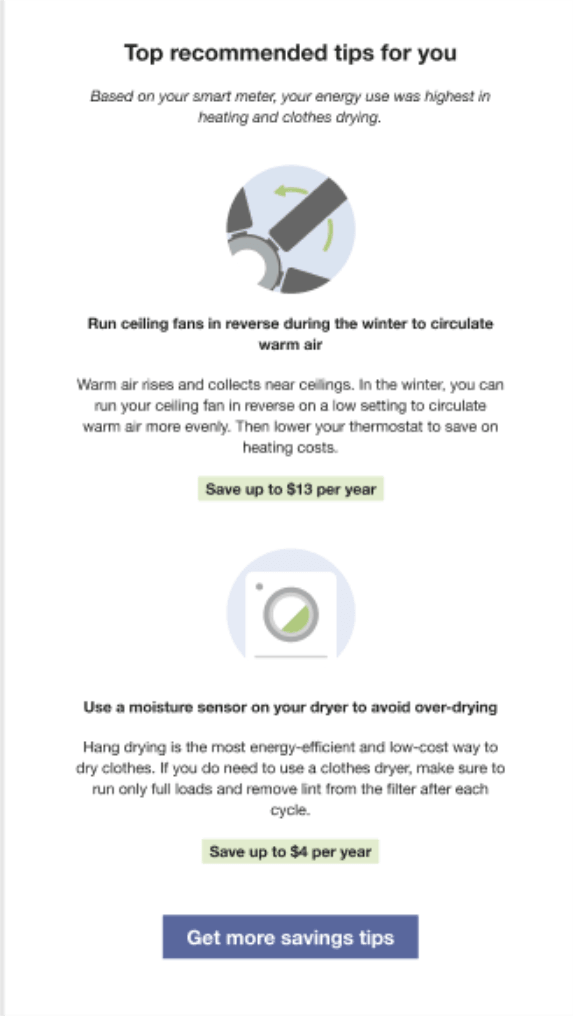
Heading: Indicates that the tips have been selected specifically for the customer.
Context: Provides background on why these tips were chosen.
Tip 1: An AMI-based tip focused on general energy efficiency.
- Tip Title: Encourages the customer to take action.
- Image: Includes an illustration that aligns with the tip.
- Tip Body: Provides guidance to help the customer act.
- Savings Estimate: Shows potential savings based on the customer's energy use data.
Tip 2: Another AMI-based tip focused on general energy efficiency.
- Tip Title: Encourages the customer to take action.
- Image: Includes an illustration that aligns with the tip.
- Tip Body: Provides guidance to help the customer act.
- Savings Estimate: Shows potential savings based on the customer's energy use data.
Call to Action: Includes a "Get more savings tips" button that directs customers to the web portal for additional energy-saving recommendations.
Large Appliance Tip Module
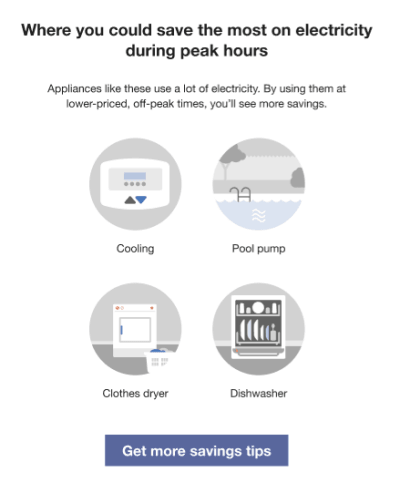
The Large Appliance tip highlights four major appliances that typically consume significant electricity and provides a link for customers to learn more about saving energy. It is designed to educate customers on Time of Use rate plans about which appliances to avoid running during peak hours, when electricity demand and costs are highest. The module includes two season-specific variations:
- Hot Weather: The hot weather state includes the spring and summer seasons.
- Cold Weather: The cold weather state includes the fall and winter seasons.
Hot Weather
Cold Weather
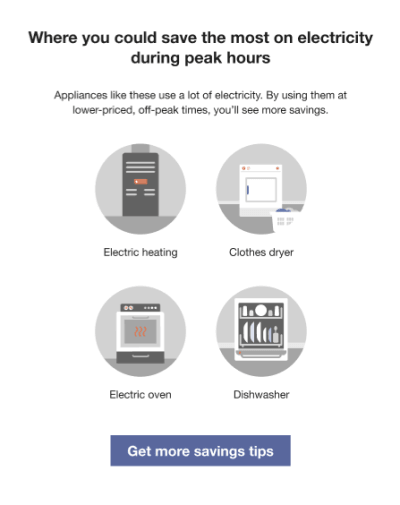
Heading: Introduces the idea that customers can save the most electricity by adjusting usage during peak hours.
Body Text: Reinforces that running certain appliances during off-peak hours can lead to the greatest energy and cost savings.
Appliance Images: Displays four seasonally relevant appliances that customers are encouraged to avoid using during peak hours.
- Hot Weather: Applies to spring and summer. By default, includes cooling (thermostat), pool pump, clothes dryer, and dishwasher.
- Cold Weather: Applies to fall and winter. By default, includes heating (furnace), clothes dryer, oven, and dishwasher.
Call to Action: Includes a "Get more savings tips" button that directs customers to the web portal for additional energy-saving guidance.
Two Tip Module
The Two Tip module provides customers with both a peak savings tip and an anytime savings tip. The peak tip is clearly labeled so customers know when to act on it, while the general energy efficiency tip uses targeting to deliver the most relevant recommendation across end-use categories. The module also includes a cost label indicating the level of financial effort required to implement each tip, helping customers decide when and how to take action based on their rate plan. The image below shows an example of the Two Tip module.
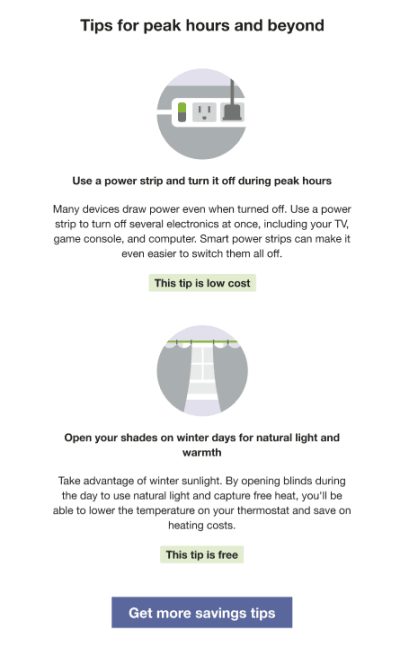
Heading: Indicates that the tips have been selected for the customer and can help save energy during both peak and off-peak hours..
Illustration: Includes an image from the tip illustration library that complements the tip..
Tip Title: The first tip focuses on peak usage and is selected from available peak tips. The second uses standard targeting logic to present a general savings tip most relevant to the customer's household.
Body: Reinforces the message of the heading, tailored to the specific tip.
Cost Category: Displayed as a green label below the illustration to indicate the level of financial effort required . For example, free, low cost, or great investment.
Call to Action: Includes a "Get more savings tips" button that directs customers to the web portal for additional energy-saving guidance.
Limited Income Report Tips
Appears in: Limited Income Report
The Limited Income Report includes up to three tip modules that highlight personalized aspects of the tip experience.
This image is an example of the Progress Report tips design.
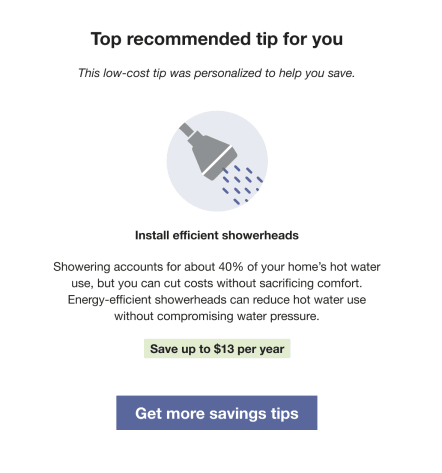
Heading: Indicates that the tip has been personalized for the customer.
Context: Provides additional information to help the customer understand why the tip was selected. Contexts are typically shown at random, except for the "recent HEA completion" context, which appears immediately after the customer completes the Home Energy Analysis. Availability depends on the customer's AMI data and whether they have completed the Home Energy Analysis. See Home Energy Analysis.
Tip Title: Focuses on potential future savings to motivate the customer to take action.
Image: Includes an illustration that aligns with the tip.
Tip Body: Provides guidance to help the customer save energy.
Savings Estimate: Gives a clear estimate of potential cost savings to reinforce the value of taking action.
Call to Action: Includes a "Get more savings tips" button that directs customers to the web portal for additional energy-saving recommendations.
Paired Tips
Appears in: Limited Income Report, Electric Vehicle Report
The Paired Tips module use disaggregation data Home Energy Analysis data to provide customers with a tip related to the energy use highlighted in the What Uses Most module.
Note:
Paired tips must be combined with the What Uses Most module.This image is an example of an air leak tip selected to pair with a top energy use highlighted in the What Uses Most module.
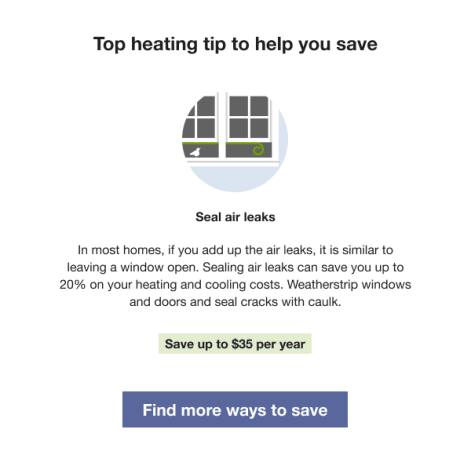
Heading: Indicates that the tip has been personalized for the customer.
Image: Includes an illustration that aligns with the tip.
Tip Title: Focuses on potential future savings to motivate the customer to take action and aligns with the customer's highlighted energy use in the What Uses Most module.
Tip Body:Provides guidance to help the customer save energy.
Savings Estimate: Offers a clear estimate of potential cost savings to reinforce the value of taking action.
Call to Action: Includes a "Find more ways to save" button that directs customers to the web portal for additional energy-saving tips.
Energy Literacy and Tip
Appears in: Peak Focused Report
The Energy Literacy and Tip module helps customers understand why they are using energy during high-cost peak periods and provides guidance on how to reduce consumption. It highlights two or three appliance categories detected during peak hours and includes a targeted tip related to one of those categories to help the customer take action.
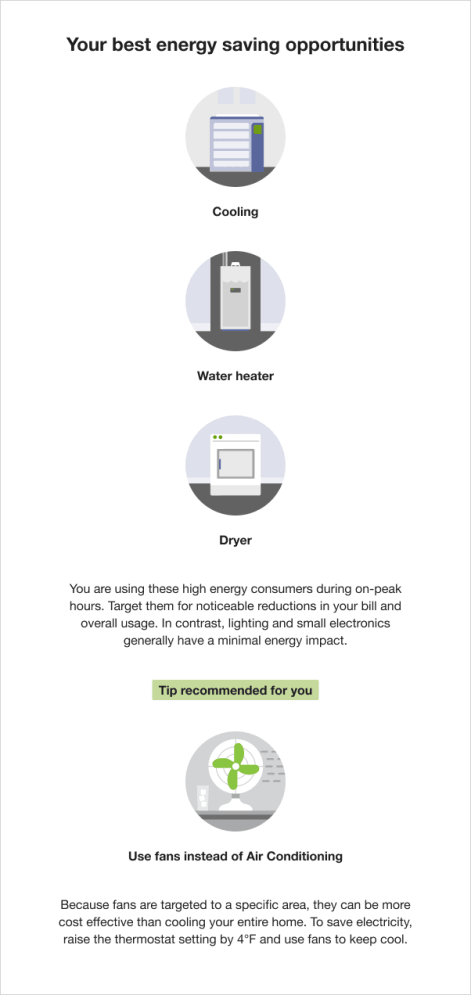
Heading: Invites customers to explore their best opportunities to save energy.
Disaggregation: Highlights which appliance categories are driving the most energy use during peak hours. This section includes:
- Disaggregation category image and label: Displays labeled illustrations of the top three appliance categories detected during the highest-cost period, ordered from highest to lowest energy use. Categories may include heating, cooling, dishwasher, dryer, electric vehicle, oven, pool pump, refrigerator, and water heater.
- Disaggregation education: Explains that these appliances are being used during peak hours and encourages customers to focus on them to reduce both costs and overall energy use.
Tip: Provides a recommended action to help reduce energy consumption. The tip is tied to one of the highlighted appliance categories but is not limited to Time of Use guidance. Tips are rotated to avoid repetition until all relevant options have been shown.
- Tip label: Draws attention to the recommended action.
- Tip title: Clearly states the suggested behavior change.
- Tip body: Explains why the change matters and provides clear, actionable guidance for the customer..
Solar Report Tips
Appears in: Solar Report
The Solar Report includes one to three tip modules that highlight personalized aspects of the customer's experience. In addition to standard tips used in other report types, Solar Report recipients may also receive tips specific to solar usage. This image shows an example of a Solar Report tip module featuring three tips.
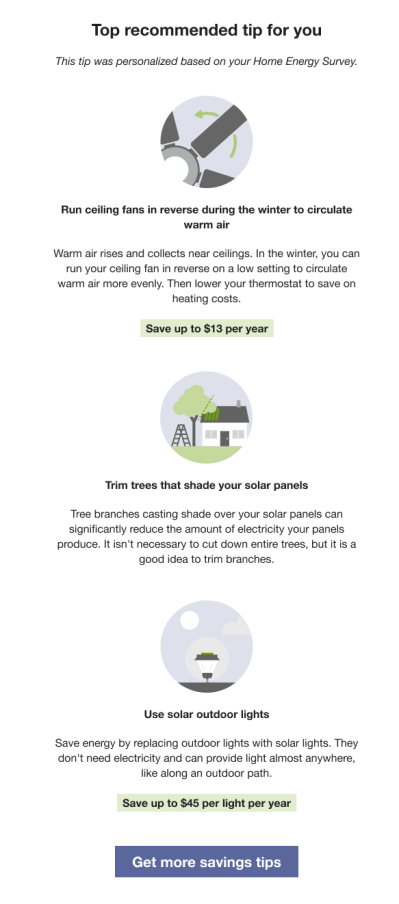
Heading: Indicates that the tip has been personalized for the customer.
Context: IIf the customer has completed the Home Energy Analysis since their last report, the tip acknowledges the recent survey completion and its impact on their report. Solar customers do not receive AMI-based tip context.
Note:
Solar customers are not eligible for AMI tip context.Tip Title: Emphasizes potential future savings to motivate the customer to take action.
Image: Includes an illustration that aligns with the tip.
Tip Body: Provides guidance to help the customer save energy.
Call to Action: Includes a "Get more savings tips" button that directs customers to the web portal for additional energy-saving recommendations.
User Experience Variations
The user experience of the feature may vary for customers and utilities depending on their service types (gas, electricity, dual fuel, and so on), available data, costs, locale, and other factors.
Lookback Tip Variations
Usage Lookback Report
The Lookback tips module for the Usage Lookback Report varies from the tip used in the Annual Report in several ways:
- Heading: "Prepare for savings"
- Context: "Start the next gas season off right—try these tips"
- Top tip illustration: The clipboard has an exclamation mark instead of a electric bolt.
- Second tip illustration: The laundry illustration includes a dryer instead of washer.
In-home Utility Home Energy Analysis
If the utility elects to run an in-home Home Energy Analysis program, the top tip encourages the customer to schedule their in-home home energy analysis appointment.
Oracle Utilities Opower Home Energy Analysis
If the utility elects to use the Oracle Utilities Opower Home Energy Analysis, the top tip encourages the customer to complete their Home Energy Analysis to improve their tip experience.
Two Tip Library Tips
If the utility elects to omit and home energy analysis program tip from the report, both tips are pulled from the utility's tip library.
Energy Literacy and Tip Variations
This section provides examples of how the Energy Literacy and Tip may vary:
Two Appliances Detected
If two appliances are detected in use during the highest cost period, they are ordered by the highest energy consumers.
Electric Vehicle Detected
If an electric vehicle is detected as one of the two or three highest energy consumers during the highest cost period it is included in the list of appliances.
One Appliance Detected
If only one appliance can be detected during the highest cost period, then the module displays two or three appliances detected for all usage. The heading is "Your top energy consumers."
Limited Income Report Tip Variations
This section provides examples of how theLimited Income Report Tips may vary:
AMI and Appliance Detection and Disaggregation
If the utility has AMI and appliance detection and disaggregation data, the tip is related to the customer's highest disaggregated end use energy category. For example, if the customer spends the most energy on heating, the tip will be focused on heating.
Completed Home Energy Analysis
If the customer completed their Home Energy Analysis in the past and there is existing survey data, the tip copy indicates that the tips are personalized based on the results of the customer's survey.
Progress Report Tip Variations
This section provides examples of how the Progress Report Tips user experience may vary:
AMI and Appliance Detection and Disaggregation
If the utility has AMI and appliance detection and disaggregation data, the tip is related to the customer's highest disaggregated end use energy category. For example, if the customer spends the most energy on heating, the tip will be focused on heating.
Completed Home Energy Analysis
If the customer completed their Home Energy Analysis in the past and there is existing survey data, the tip copy indicates that the tips are personalized based on the results of the customer's survey.
Promotion Report Tip Variations
This section provides examples of how the Promotion Report Tipsuser experience may vary:
Utility selects one end use
Tips are displayed for the top two end uses (excluding the promotion end use).
Utility selects heating and cooling combined
Tips provide free and low-cost ways to save for heating and cooling as an alternative to the promotion on the front, which is likely a larger investment.
Seasonal Report Tip Variations
This section provides examples of how the Seasonal Report Tipsvary:
Contexts
Context helps the customer understand why specific tips have been selected for them. All contexts are shown randomly, with the exception of the "recent Home Energy Analysis completion context" which is always shown if a customer has completed Home Energy Analysis since their last report was generated. The context statement that appears for a customer varies as follows:
- AMI customers who have completed Home Energy Analysis can receive any context.
- AMI customers who have not completed Home Energy Analysis can receive the AMI context or the cost category/no information context.
- Non-AMI customers who have completed Home Energy Analysis can receive both Home Energy Analysis contexts and the cost category/no information context.
- Non-AMI customers who have not completed Home Energy Analysis can only receive the cost category/no information context.
Winter Experience Variation
The tips module for the winter Seasonal Report provides customers with two seasonally relevant tips to help them lower their winter energy use. The first tip helps them save on heating and the second tip helps them save on another targeted end use. The module also points customers to more tips on the web, ideally to a winter tip guide when available, so that they can learn more.
Welcome Report Tip Variations
This section provides some examples of how the Welcome Report Tips may vary:
AMI and Appliance Detection and Disaggregation
If the utility has AMI and appliance detection and disaggregation data, the tip is related to the customer's highest disaggregated end use energy category. For example, if the customer spends the most energy on heating, the tip will be focused on heating.
Completed Home Energy Analysis
If the customer completed their Home Energy Analysis in the past and there is existing survey data, the tip copy indicates that the tips are personalized based on the results of the customer's survey.
Welcome Report - Legacy Customer, Limited Income Report
The upper right corner of the module includes a number that corresponds to the "Better tips and insights" highlight in the Welcome module.
Solar Report Tip Variations
This section provides some examples of how the Solar Report Tips may vary:
AMI and Appliance Detection and Disaggregation
Solar customers are not eligible for AMI tip context.
Completed Home Energy Analysis
If the customer completed their Home Energy Analysis in the past and there is existing survey data, the tip copy indicates that the tips are personalized based on the results of the customer's survey.