How to Use This Playbook
Oracle Fusion Marketing consists of two product components:
- Oracle Fusion Unity Data Platform, which unifies customer and account data to create trusted, actionable customer profiles.
- Oracle Fusion Marketing Orchestration (optional add-on), which enables marketers to design, execute, and measure cross-channel marketing programs using the unified data.
Getting started with Oracle Fusion Marketing might require one or both implementation guides, depending on the products your organization has licensed.
This playbook (Part 1) guides implementation teams through the initial setup and configuration of Oracle Fusion Unity Data Platform. It provides step-by-step instructions for configuring the platform to unify customer data and complete the foundational setup required for Oracle Fusion Marketing tailored to business requirements.
Learn how to enable the Fusion Marketing feature and how to set up and integrate the following marketing activity configurations.
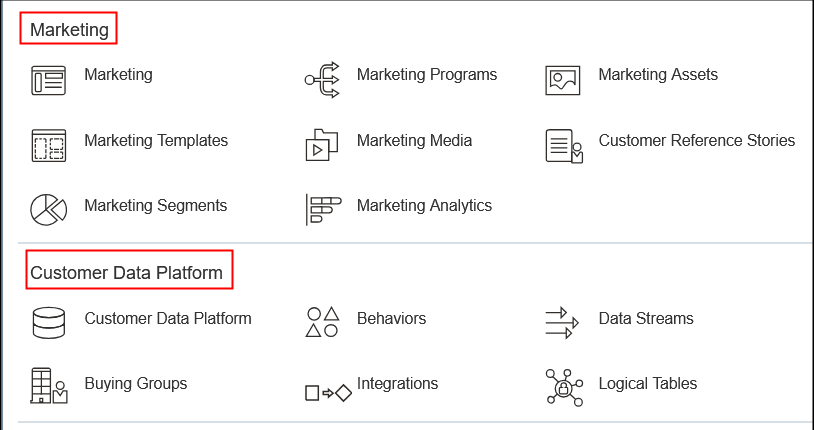
The playbook contains the following sections:
|
Section |
Description |
Where to Get More Details |
|---|---|---|
| How do I get started with Fusion Marketing? | This section provides a brief overview of the two main components of Fusion Marketing, namely Fusion Unity Data Platform and Fusion Marketing Orchestration. | |
| Job Roles and Duty Roles for Fusion Marketing | This section outlines the roles and privileges you need before setting up the Fusion Marketing features. | |
|
Fusion Unity Data Platform with Oracle Sales Integration |
This section explains how to integrate Fusion Marketing with Oracle Sales and how to set up both the initial and ongoing data between the two applications. | |
| Data Management | This section outlines some features that lets you to access, view and manage data within the Fusion Unity Data Platform and how to publish changes. | |
| Intelligence Workbench | This section outlines the procedure to access and use the Intelligence Workbench to create a model. The workbench also provides a library of ready-to-use machine learning algorithms for common marketing use cases. | |
| Destination Setup | This section outlines how to create a destination that stores the connection details, authentication settings, field mappings, and delivery configuration required to send data. | |
| Data Ingest |
This section describes how to create an ingest job and define how the data from your source files are mapped to the attributes in the data model data. |
|
| Logical Table Management | This section describes how to configure logical models for use in features such as segmentation. | |
| Streaming Data Collection | This section describes how to create and administer streaming data collection tags that allow you collect data from your web pages, web applications, or any other digital property where the tag is applied. | |
| Data Workbench | This section outlines how Data Warehouse transformations allow you to store curated, analytics-ready data objects that support reporting, segmentation, and activation. It also outlines how to use the visual editor for Data Workbench to create data transformations that run after data ingestion. | |
| Behavior Management | This section outlines what behaviors are and lists the predefined behaviors and how they're used in the context of Fusion Marketing. | |
| Buying Groups | This section describes how to set up and maintain Buyer Persona and Buying Group Definition records. You can define, track, and use buying groups to improve opportunity identification within accounts. | |
|
Configure Marketing Segments |
This section describes how to define and deploy audience segments. This feature provides an intuitive workspace that helps ensure correct, targeted campaigns without needing SQL skills or data engineering support. Use the visual segment builder to set rules, such as demographic data, behavioral events, lead status, or custom fields relevant to your objectives. |
|
| Checklist for Setting Up Fusion Marketing | This section provides a checklist to create, test, and activate using Fusion Marketing. | |
| Glossary of Terms for Fusion Marketing | This section contains a glossary of terms to help ensure that everyone using the feature or reading the documentation understands key terminology in the same way. |